

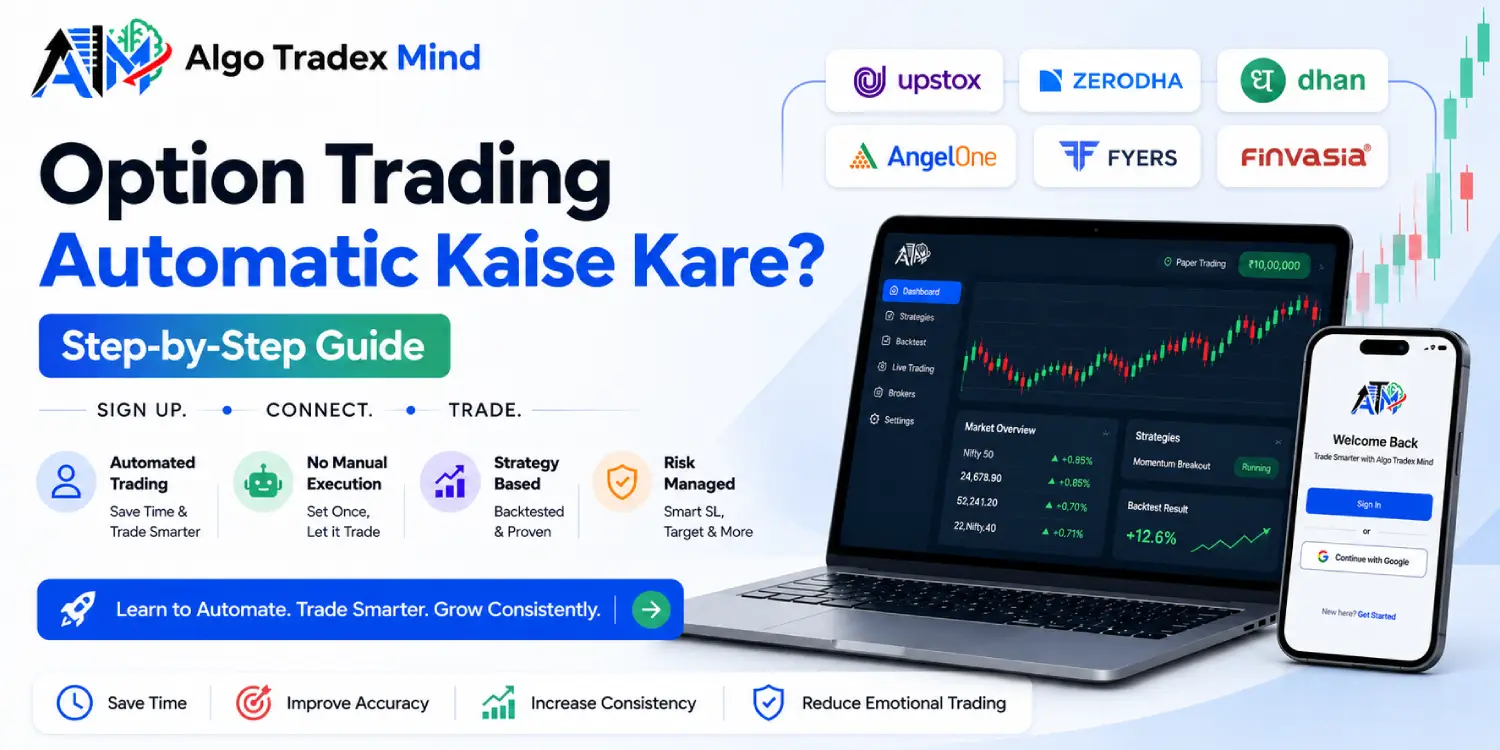
To learn option trading automatic kaise kare, follow one sequence: write your entry, exit and stop-loss rules in a no-code builder, backtest them on past data, practise on a free paper account, then connect your broker so the software places the orders. Sign-up needs only an email address or mobile number. This guide covers each step, the checks that matter most and the common errors that cost new traders money.
What Is Automatic Option Trading and How Does It Work?
Automatic option trading means software places, manages and exits your option trades according to rules you set in advance. You define the instrument, strikes, entry time or indicator trigger, stop-loss, target and square-off time. The software then watches the market and sends orders to your broker without manual clicks. You decide the plan once, and the system follows it every session, whatever the mood on the screen.
Manual trading asks a lot at 09:15. You watch the open, react within seconds and try to stay disciplined after three red days in a row. Most traders know the urge to widen a stop-loss because a position hurts. Automation removes the timing and the hesitation. It does not remove the need for a sound plan.
Every automated option trade rests on four parts:
- Trigger: a fixed clock time such as 09:20, or an indicator condition such as RSI or VWAP.
- Legs: the calls and puts you buy or sell, chosen by distance from the at-the-money strike, by premium or by delta.
- Risk rules: a stop-loss, target and trail for each leg, plus a limit on total loss.
- Exit: a square-off time or an exit condition.
Here is a plain example. A trader decides to sell an at-the-money Nifty straddle at 09:20, place a stop-loss of 25 per cent on each leg and square off at 15:15. After the rules are saved, the software repeats that plan every trading day. The trader reviews results in the evening instead of watching ticks at lunch.
Can I Learn Option Trading Automation in Hindi Without Coding?
Yes. Searches for option trading automation Hindi lessons return plenty of videos, but a no-code platform removes the programming entirely. You select values from menus and number fields instead of writing scripts. The real skill is writing clear rules: when to enter, how much to risk and when to leave. If you can describe a trade on a notepad, you can describe it to the builder.
Language is the second hurdle. Even a well-made option trading automation Hindi tutorial keeps the trading terms in English, so learn these five first.
| Term | Plain meaning |
|---|---|
| Strike price | The price at which an option can be exercised |
| Lot size | The fixed number of units in one contract |
| Stop-loss | The loss level at which a trade exits automatically |
| Square-off | Closing an open position |
| Backtest | Replaying your rules on past market data |
Option Trading Automatic Kaise Kare? Seven Steps from Sign-Up to Live Trade
Create a free account, explore the paper book, build a strategy, backtest it, run it on paper, connect your broker and then go live with a small size. These seven steps keep every decision testable before real money enters. Each step below uses Algo Tradex Mind as the working example, and the same order applies on any platform that connects through an official broker API.
Step 1: Create a Free Account
Registration asks for an email address or a mobile number. No KYC documents are collected at sign-up, so the account opens within minutes, and no card is needed. Your broker keeps its own verification for your trading account, which matters only when you move to live orders.
Step 2: Open the Paper Account
Log in and place a few sample orders on the paper book. Try a straddle, a strangle and a single-leg trade. Watch how margin blocks and how lots scale. Mistakes made here cost nothing, and they teach faster than any video.
Step 3: Build the Strategy
Choose the underlying, such as Nifty, Bank Nifty, Fin Nifty or Sensex. Add legs by distance from the at-the-money strike, by premium or by delta. Then set a stop-loss and target for each leg. A strategy builder validates these rules and shows the payoff before you save, so a leg your broker would reject appears as an error now, not at 09:20.
Step 4: Backtest on Minute Data
A backtest replays your rules on past sessions using minute-level data. The report shows the equity curve, the drawdown, a per-trade log and the charges, and it states the assumptions it made. Read the drawdown first. Profit figures attract attention, but the deepest fall tells you whether you could have held on through it.
Step 5: Run It on Paper
Deploy the strategy on the paper account and let it trade live market sessions. Include an expiry day and at least one volatile session. Then compare the paper results with your backtest. Small differences are normal. Large gaps point to a rule that needs revision.
Step 6: Connect Your Broker
Link your broker from the dashboard through its official API login. Orders then go to your own account, and your funds stay there. Keep the first connection simple, with one broker and one strategy. A later section lists the supported names.
Step 7: Go Live with Small Size
Start with one lot, one strategy and a daily loss limit. Watch the first week closely, because live fills can differ from paper fills. Raise your size only after live results match what you tested. Review the decision log after every session, and treat each surprise as information.
Do I Need KYC to Start Algo Trading on a Platform?
No. Registration on Algo Tradex Mind needs only an email address or a mobile number, and building, backtesting and paper trading involve no KYC documents. Verification happens at your broker, which holds your trading account and your funds. Any auto trading software that places live orders works through that broker account, so the broker’s KYC rules still apply to you.
| Stage | What you need |
|---|---|
| Sign-up, builder and backtests | An email address or a mobile number |
| Paper trading | The same account, with no extra documents |
| Live trading | A verified account with a supported broker |
Is Paper Trading Free for Option Traders?
Yes. Paper trading is free on every account and runs on a simulated ₹10 lakh book with real lot sizes and real margin rules. No order reaches the exchange, so no money moves. You can test timing, position size and stop-loss placement before any rupee is at risk. Treat it as rehearsal, not proof, because live fills can differ slightly.
Check these points while you paper trade:
- Whether the margin required matches what you expected.
- How often your stop-loss triggers on ordinary intraday swings.
- Whether the strategy behaves differently on expiry day.
How Does a Strategy Builder Work If I Cannot Code?
A strategy builder turns trading rules into form fields. You pick the underlying strikes, entry and exit times and stop-loss, and the software converts those choices into automated orders. Algo Tradex Mind provides a time-based builder for clock entries and an indicator-based builder for conditions such as EMA crossovers, RSI levels or VWAP position. Both versions use the same fields: legs, strikes, risk limits and timing.
The platform offers no pre-built strategies or tips. Every rule comes from you, which keeps both the decision and the learning in your hands.
| Builder | Suited to | What you control |
|---|---|---|
| Time-based | Entries at a fixed time, such as 09:20 | Legs, entry and exit times, stop-loss, target and trail per leg, wait and trade, re-execute |
| Indicator-based | Entries that depend on market conditions | Long and short condition pairs using EMA, RSI, VWAP, Supertrend or MACD on closed candles |
Can I Trust a Backtest Before Going Live?
A backtest gives evidence, not a promise. It replays your rules on past minute-level data and shows how they would have performed after charges. It cannot predict future prices, so use it to remove weak ideas rather than to confirm profit. A strategy that fails a backtest rarely deserves live capital, and one that passes has only earned a paper trial.
Read these four figures first:
- Maximum drawdown, the deepest fall from a peak, which shows how much loss you must be able to sit through.
- Average win against average loss.
- Number of trades, since a handful of trades proves very little.
- Net result after charges.
Repeat the test across trending weeks, sideways weeks and expiry days. A rule that works in only one market mood is a coincidence, not an edge. Also keep a record of every change you make after seeing results. Each tweak made to improve a past result makes the next result less trustworthy.
Which Brokers Support Algo Trading for Options in India?
The platform supports six brokers: Upstox, Zerodha, Dhan, Angel One, Fyers and Finvasia. Each connects through its official trading API, so orders go straight to your own account and your funds stay with the broker. For options algo India traders, margin, contract notes and brokerage work as they do today. Some brokers, including Zerodha and Dhan, need a fresh sign-in every trading day.
The dashboard shows which accounts need a sign-in and sends a reminder before the market opens, so a lapsed session does not cost you the 09:20 entry. Traders in options algo India circles often learn this lesson after a missed morning, so check the dashboard before 09:15 until the habit forms.
Is Automatic Option Trading Legal in India?
Yes. SEBI’s framework permits retail algo trading, and it became mandatory for all stockbrokers on 1 April 2026. Brokers now carry responsibility for the orders that pass through their systems, so automatic option trading must route through your broker’s official API. Expect checks such as daily authentication and, where your broker asks, registration of a static IP address.
Before your first live order, confirm these points:
- Your platform connects through the broker’s official API and never through shared logins.
- API access is enabled on your broker account.
- You know whether your broker requires IP registration.
- You have read the broker’s latest notice, because rules and processes change.
How Much Does Auto Trading Software Cost for Options?
Building and paper trading cost nothing, and a paid plan unlocks live deployment and higher limits. Algo Tradex Mind prices its auto trading software as a subscription with Basic, Limited and Unlimited plans, billed monthly, quarterly or yearly. An inaugural 50% discount on subscriptions runs at present, and checkout shows the final price before payment. No card is needed to start. Prices now start at ₹650 per month.
Index options trading and ₹10 lakh of paper trading come with every plan. The limits differ as follows:
| Feature | Basic | Limited | Unlimited |
|---|---|---|---|
| Strategies | 30 | 60 | 150 |
| Backtests | 60 | 100 | 250 |
| Live deployments | 3 | 5 | 12 |
| Brokers connected | 1 | Up to 3 | Up to 5 |
| Portfolio testing | Not included | 3 strategies together | 10 strategies together |
| Reports | Easy dashboard | Simple performance reports | Detailed performance reports |
| Support | Chat | Priority support and a setup call | |
| Other features | Index options trading | Strategy templates, fast order execution | Templates, fast execution, daily loss limit with one-tap stop, trade journal, early access to new features |
Your broker charges brokerage, exchange fees and taxes separately, because the subscription covers only the software. Compare the monthly figure against how many live deployments you will realistically run.
What Risks Should I Plan for Before Automating Options?
Automation executes rules faster, so it also executes flawed rules faster. The main risks are untested strategies, backtests fitted too closely to the past, slippage in fast markets, broker sessions that expire and position sizes too large for your capital. Trading involves risk of loss, and no backtest or paper result guarantees live returns. Set your loss limits before the first live order.
Set these controls before going live:
- A stop-loss on every leg, in points or percent.
- A maximum loss for the strategy or the day. The Unlimited plan adds a daily loss limit with a one-tap stop.
- A cap on trades per day and a time after which no new trade starts.
- A morning check that your broker session is active before 09:15.
Greed after a good week and fear after a bad one do more damage than any software fault. Write your limits while you feel calm, then let the system enforce them.
What Else Do Traders Ask Before Starting Automated Trading?
How long should I paper trade before going live?
No fixed period exists, but several weeks give a fair sample. Include at least one monthly expiry and a few volatile sessions. Move to live trading only when paper results match your backtest and you follow every rule without wanting to override the system.
Will my strategy run if my laptop is switched off?
Yes. Strategies run on the platform’s servers, so your laptop can stay off after deployment. The engine enters, manages and squares off at the times you set, and it records every decision. You can stop a strategy from your phone whenever you choose.
Does Algo Tradex Mind provide ready-made strategies or tips?
No. Algo Tradex Mind is a software platform, not a SEBI-registered investment adviser. It supplies tools to build, test and run your own rules. It offers no pre-built strategies, calls or advice, so every trading decision and its risk remain yours.
Where does my money stay while a strategy trades?
Your money stays in your broker account throughout, and the platform never holds client funds. Orders reach the broker through its official API. If you stop using the platform, nothing needs withdrawing, because nothing was ever deposited with it. Charges stay with the broker.
How many brokers can I connect at once?
It depends on the plan. Basic connects one broker, Limited connects up to three and Unlimited connects up to five. Each broker links through its own official API, so you can keep separate accounts for separate strategies if you choose.
Where Should I Start Today?
Open a free account and build one simple strategy on the paper book, such as a single time-based entry with a stop-loss on every leg. Backtest it, run it on paper for several weeks and read the results honestly. Connect a broker only when the numbers hold up, then begin live trading with one lot and a daily loss limit.
Disclaimer: Algo Tradex Mind is a software-as-a-service (SaaS) platform. It does not provide pre-built strategies, tips, recommendations or investment advice, and it is not a SEBI-registered investment adviser. Trading involves risk, and trading in derivatives carries a risk of loss. Backtests and paper trading results do not guarantee live returns. Plan features, limits and offers may change, so confirm current details on the pricing page before you subscribe.