

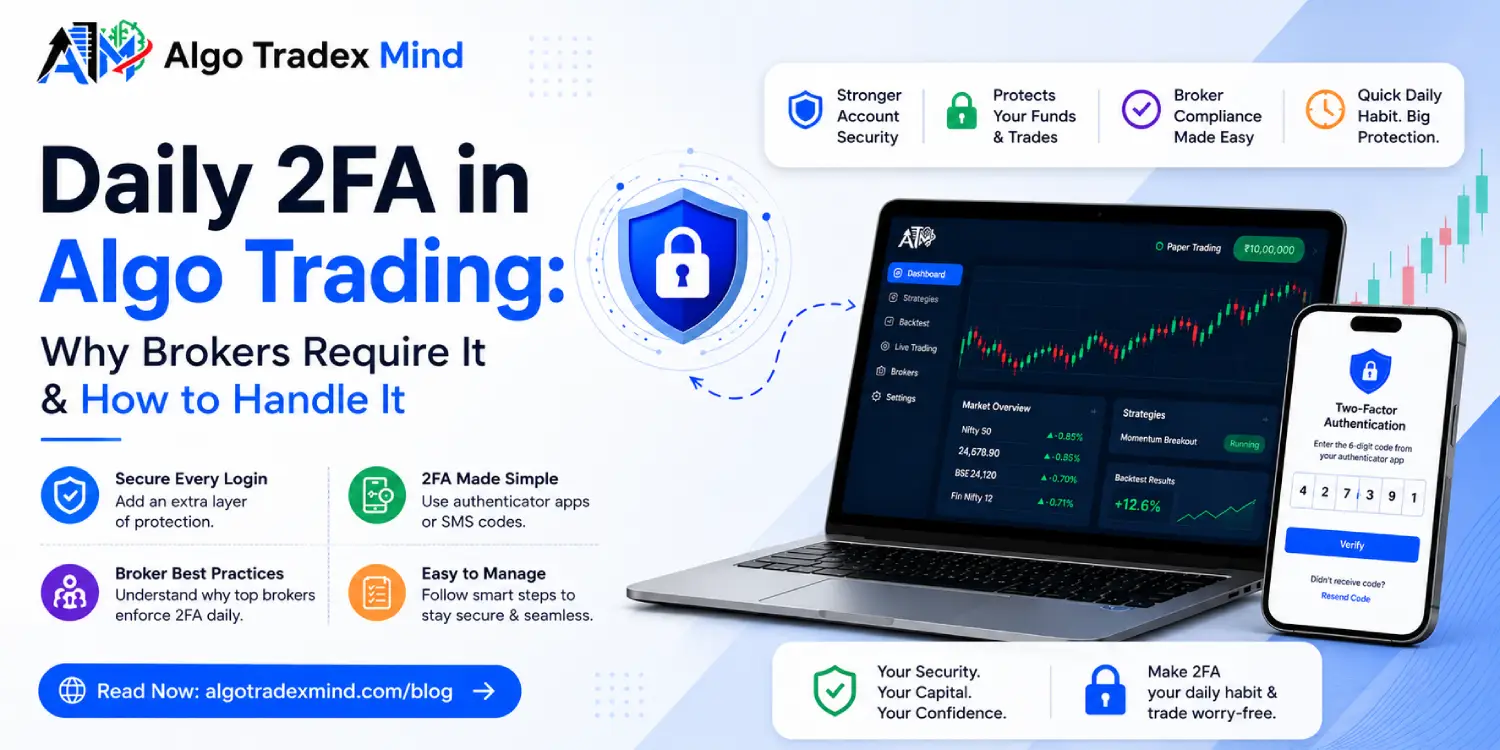
Automated execution relies on secure digital handshakes between your software and your brokerage account. Understanding daily 2FA in algo trading prevents frustrating morning disconnections and missed opportunities. Brokers enforce two-factor authentication daily to secure your capital and comply with strict financial regulations. This guide explains how authentication protocols function, why access tokens expire, and how to manage your daily login routines without delaying your crucial market execution.
What is daily 2FA in algo trading and why do brokers mandate it?
Daily 2FA in algo trading refers to the mandatory daily requirement of entering a time-sensitive code to authorise software to trade on your behalf. Regulators force brokers to implement this protocol to stop unauthorised access to financial accounts. It ensures a human operator approves the connection every single day before any computer code executes live market orders.
- Regulators demand daily verification to prevent compromised credentials from draining retail accounts.
- The protocol blocks rogue algorithms from executing trades if left running unmonitored for extended periods.
- Daily authentication legally shifts the liability of the day trades to the verified user.
- It protects the broader market from sudden flash crashes caused by hacked API keys.
- Brokers face severe financial penalties if they allow continuous API access without daily human verification.
The regulatory background for two-factor authentication
Financial regulatory bodies across the globe mandate strict access controls for electronic trading platforms. They view algorithmic access as a potential systemic risk. Implementing a daily authentication check acts as a circuit breaker. It confirms that the registered account holder is actively supervising the automated systems.
- Regulators require brokers to log every authentication attempt with timestamps and IP addresses.
- Compliance departments audit these logs regularly to ensure no continuous access tokens bypass the daily limit.
- The system creates a clear audit trail linking the human operator to the machine actions.
- This framework standardises security practices across all retail and institutional brokerage platforms.
| Feature | Traditional Web Login | API System Login |
|---|---|---|
| Session Duration | Often remains active for days | Strictly expires at midnight |
| Verification Method | Password and occasional OTP | Mandatory daily time-based code |
| Liability Shift | Assumed personal use | Explicit authorisation for code execution |
| Regulatory Focus | Standard consumer protection | Systemic market risk prevention |
How does broker 2FA protect your API access token?
A broker 2FA prompt acts as the final gatekeeper before the system issues a valid API access token. When you submit your password and the correct code, the server generates a unique cryptographic string. This token authorises your software to send orders. Without the secondary code, hackers cannot generate the token, rendering stolen passwords completely useless.
- The authentication code proves possession of a trusted secondary device.
- The server links the generated token specifically to your current IP address and session.
- Any request sent without this exact token gets immediately rejected by the exchange.
- The token encrypts the transmission of your order details across the internet.
The lifecycle of an application programming interface key
An API key does not possess permanent authority. It functions as a temporary passport. The lifecycle begins when you complete the morning authentication challenge. The broker server validates your credentials and issues the active passport. The software attaches this passport to every subsequent order request.
- Generation occurs exactly when the two-factor code is successfully verified.
- Transmission involves passing the token in the header of every HTTP request sent to the broker.
- Validation happens on the broker side in milliseconds before routing the order to the exchange.
- Termination occurs automatically at a set time or upon manual logout.
| Token Phase | System Action | Security Purpose |
|---|---|---|
| Initiation | Validates credentials and OTP | Confirms human presence |
| Issuance | Generates 256-bit string | Creates temporary identifier |
| Execution | Attaches to trade headers | Authorises live orders |
| Expiration | Invalidates the string | Prevents overnight exploitation |
Why does my daily login algo trading fail in the morning?
Your daily login in algo trading usually fails because the previous day session expired and you missed the new authentication window. Traders frequently experience an algo not starting right at the market open. This happens because the broker server rejects order requests when the system lacks a freshly authenticated token for the current calendar day.
- Tokens expire precisely at midnight or after a specific number of inactive hours.
- Network latency during the morning rush can delay the delivery of SMS verification codes.
- Attempting to send orders using yesterday's token results in an immediate authentication error.
- Software configurations might fail to recognise that a new login is required.
Common reasons for an algo not starting at market open
Morning connection failures stem from predictable operational errors. Users often automate their trading software to launch at a specific time but forget to complete the manual authentication step beforehand. The machine attempts to trade, hits a security wall, and halts execution entirely.
- The user failed to update the software with the newly generated daily access token.
- The broker API server experienced heavy load and timed out the authentication request.
- The system clock on the local computer drifted out of sync with the broker server.
- The trader entered the one-time password a few seconds after it expired.
How do you use TOTP to simplify automated login?
You can use a TOTP application to generate dynamic codes for your automated login sequence rapidly. Instead of waiting for delayed SMS messages, a time-based app generates a new six-digit code every thirty seconds locally on your device. You simply link the broker secret key to your authenticator application once for continuous code generation.
- Local generation eliminates reliance on cellular network strength or SMS delivery speeds.
- The algorithm guarantees a mathematically secure code that hackers cannot intercept in transit.
- You can copy the code instantly into your trading dashboard to activate your daily session.
- Multiple broker accounts can be managed within a single authenticator application.
Setting up time-based one-time passwords for systems
Configuring an authenticator application takes only a few minutes. You navigate to the security settings of your brokerage account and select the application-based authentication option. The broker displays a quick response barcode. You scan this code with your mobile device, establishing a permanent cryptographic link between the app and the broker.
- Download a reputable application like Google Authenticator or Authy.
- Scan the barcode provided by your broker during the security setup phase.
- Store the provided backup recovery codes in a secure offline physical location.
- Input the first generated code to verify the connection and finalise the setup.
| Authentication Metric | SMS Verification | Time-Based Application |
|---|---|---|
| Delivery Speed | Variable based on network | Instant local generation |
| Security Risk | Vulnerable to SIM swapping | Highly secure offline access |
| Reliability | Poor during market rush | Flawless execution |
| Setup Complexity | Requires only a phone number | Requires app installation and scanning |
What happens to the session token during market hours?
A session token remains active for a predefined period, usually lasting until the end of the current trading day. Brokers configure these tokens to expire automatically to limit risk. As long as the token remains valid, your algorithmic software can transmit buy and sell orders seamlessly without requesting additional human verification during live market hours.
- The token acts as a persistent digital signature for all your intraday trades.
- Brokers monitor the token usage to ensure it originates from the authorised IP address.
- If you log into the account from a different device, the current token might invalidate.
- The active token allows the software to pull live price feeds continuously.
Handling token expiration and midday disconnections
Occasionally, a broker might force a midday disconnection due to server maintenance or suspected irregular activity. When this occurs, the current token dies instantly. Your algorithmic software will start receiving unauthorized access errors. You must establish protocols to detect these disconnections immediately and trigger a manual re-authentication process to resume trading.
- Configure your software to send an immediate alert if an API request returns an error.
- Keep your authenticator application accessible during market hours for rapid recovery.
- Ensure your trading logic handles sudden disconnections without executing duplicate orders upon reconnection.
- Check your broker technical noticeboard for scheduled midday maintenance windows.
How can paper trading help you test connection stability?
Paper trading allows you to test your daily login routines without risking real capital in the live market. Before deploying a live strategy, you use simulated environments to verify that your API keys connect correctly and your session tokens generate properly. Our platform offers 10 Lakhs worth of paper trading free of cost to test connections safely.
- Simulated environments mirror the exact authentication protocols of the live servers.
- You can practise the morning login sequence to ensure you complete it quickly.
- It helps you identify any software firewall issues blocking the token transmission.
- You can verify that your algorithm reads the simulated data feed correctly after connecting.
Beyond testing the basic connection, a simulated account lets you test how your software handles edge cases. If you intentionally input the wrong code, you can see how your system logs the error. We encourage all users to utilise the paper trading feature extensively. You can learn how to build your rules by visiting our strategy builder section.
How does Algo Tradex Mind streamline your daily execution?
Algo Tradex Mind simplifies the connection process through an intuitive dashboard that clearly displays your daily API status. We require absolutely no KYC for algo trading; you only need an email or mobile number to sign up. You can connect your broker and manage your daily authentication securely from one central hub, ensuring precise strategy execution.
- The dashboard provides a visual indicator confirming your session is active.
- We route your orders through high-speed servers to minimise latency after authentication.
- The system allows you to manage multiple broker connections from a single interface.
- You receive clear error messages if your daily login sequence fails.
Retail traders often struggle with the coding required to handle API headers and token encryption. Our platform abstracts this complexity. You provide the generated keys, and our backend manages the secure transmission. You can read our detailed guide on how it works to understand how we secure your data while maintaining rapid execution speeds.
Also Read :
Which brokers provide the most stable API connections?
Stable brokers offer dedicated API servers that handle high-frequency requests without disconnecting your active session unexpectedly. You need a brokerage partner that processes authentication requests rapidly and maintains reliable uptime during extreme market volatility. We integrate with top-tier providers who understand the technical demands of automated execution and offer straightforward daily authentication protocols.
- Reliable brokers separate their API traffic from their manual retail web traffic.
- They provide clear documentation regarding their token expiration policies.
- They offer responsive technical support specifically for API-related connection issues.
- They implement robust infrastructure that resists morning login congestion.
Choosing a broker solely based on commission rates often leads to technical frustration. A cheap broker with an unstable API will cost you significantly more in missed trades and slippage. We maintain a curated list of supported brokers that meet our strict standards for connection stability and execution speed.
| Broker Feature | Impact on Trading | Ideal Standard |
|---|---|---|
| API Uptime | Prevents missed orders | 99.9% uptime during market hours |
| Authentication Speed | Ensures rapid morning setup | Less than 1 second response |
| Support Quality | Resolves token errors quickly | Dedicated API technical team |
| Rate Limits | Allows scaling of strategies | High requests per second allowance |
What are the discounted pricing plans for new users?
We offer an inaugural 50% discount on all our subscription packages for a limited time. This allows you to access premium automation infrastructure at half the regular price. You can review our full offerings and select the package that matches your operational requirements and desired deployment scale directly through our pricing page.
Basic Plan₹1,299/ month ₹650/ month
For traders ready to scale
- 30 strategies
- 60 backtests
- 3 live deployments
- Index options trading
- 10 Lakhs worth paper trading to practice first
- Connect 1 broker
- Easy dashboard
- Email support
Limited Plan₹1,999/ month ₹999/ month
For premium members
- 60 strategies
- 100 backtests
- 5 live deployments
- Index options trading
- Paper trading worth 10 Lakhs included
- Connect up to 3 brokers
- Test 3 strategies together as a portfolio
- Easy strategy building templates
- Simple performance reports
- Fast order execution
- Chat support
Unlimited Plan₹2,999/ month ₹1,499/ month
Smart automation for rising traders
- 150 strategies
- 250 backtests
- 12 live deployments
- Index options trading
- Paper trading worth 10 Lakhs included
- Connect up to 5 brokers
- Test 10 strategies together as a portfolio
- Easy strategy building templates
- Detailed performance reports
- Fast order execution
- Daily loss limit with one-tap stop
- Trade journal/Newsletter
- Early access to new features
- Priority support and a setup call
Securing your daily access prevents major technical failures and protects your automated systems from unauthorised interference. Proper management of your daily login routine ensures your strategies execute exactly as planned when the market opens.
Disclaimer: Algo Tradex Mind is a software-as-a-service (SaaS) platform. It does not provide pre-built strategies, tips, recommendations or investment advice, and it is not a SEBI-registered investment adviser. Trading involves risk, and trading in derivatives carries a risk of loss. Backtests and paper trading results do not guarantee live returns. Plan features, limits and offers may change, so confirm current details on the pricing page before you subscribe.
Frequently asked questions
Why do I need to log in every single day for automated systems?
Financial regulators mandate daily verification to prevent unauthorised access and protect your capital. It ensures a human operator actively supervises the software, mitigating the risk of runaway algorithms or compromised access tokens draining your brokerage account.
Can I automate the two-factor authentication process entirely?
No, you cannot fully automate the process. Brokers design the system specifically to require human interaction. Attempting to program a script to scrape codes violates brokerage terms of service and jeopardises your account security.
What should I do if my authentication application stops working?
If your application fails, you must use the physical backup recovery codes provided by your broker during the initial setup. Navigate to your broker security settings using a web browser to reset the connection.
Does paper trading require daily authentication codes?
Yes, most brokers require the same security protocols for simulated environments as they do for live accounts. This ensures you practise the exact login sequence you will use for live execution.
Will a midday internet outage force me to authenticate again?
It depends on your broker infrastructure. Some brokers maintain the session token on their server regardless of temporary client-side disconnections. Others immediately invalidate the token if the socket connection drops, requiring a new code.