

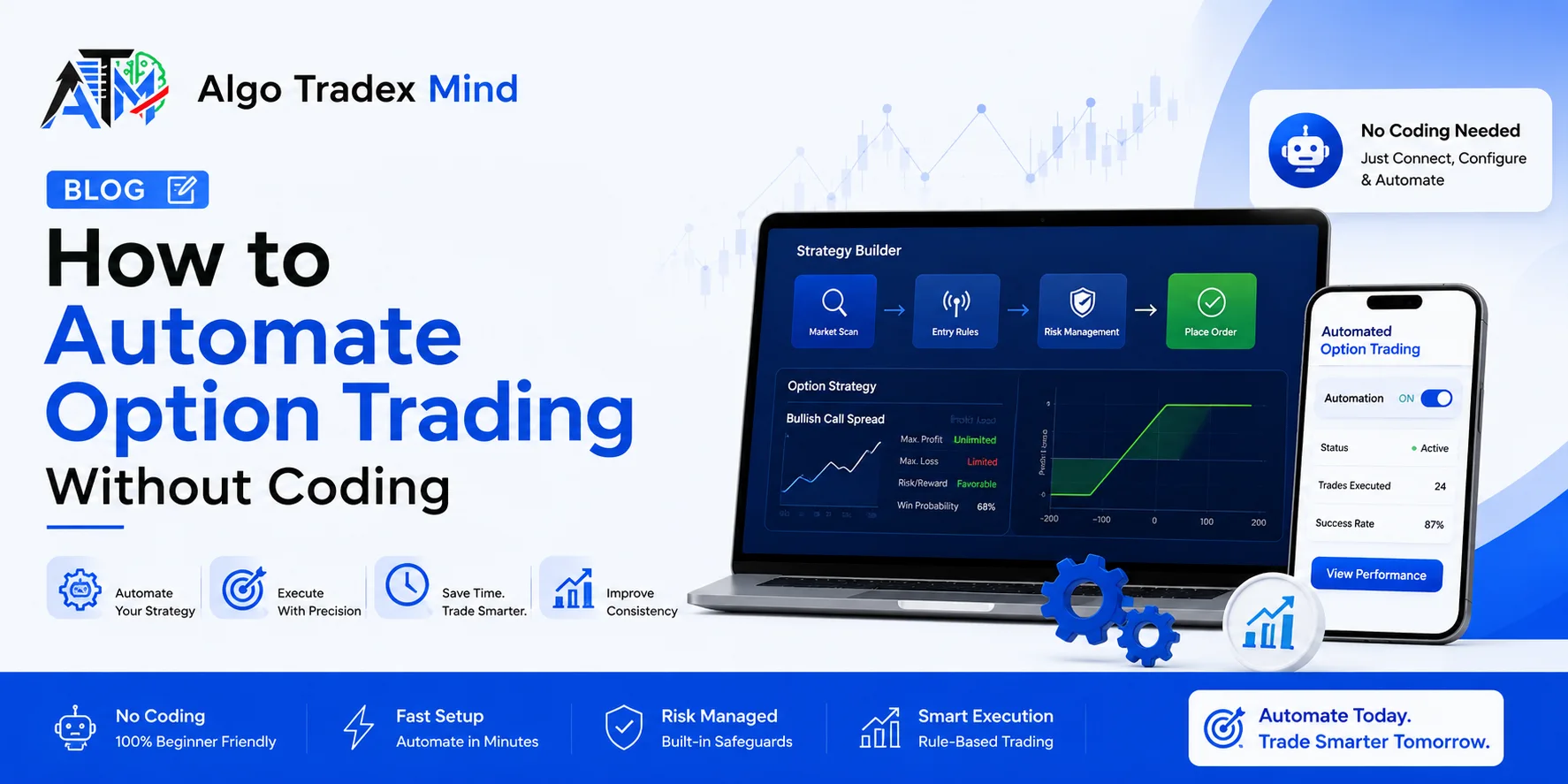
How to Automate Option Trading Without Coding
You can learn how to automate option trading without any coding by using a no-code platform linked to your broker's API. You choose the entry time, strikes, stop loss, target and exit time from simple menus, and the software places, manages and closes every order for you. Before risking real money, you test the same rules through backtesting and paper trading. It ends the habit of staring at charts all morning.
What Does It Mean to Automate Option Trading?
Automating option trading means giving your trading rules to software that carries them out on your behalf. You decide the conditions once, and the system enters trades at the set time or signal, tracks every leg, adjusts stop losses and exits on schedule. Your role shifts from clicking buttons under pressure to designing and reviewing rules with a clear head.
Every automated strategy has four parts:
- Entry: a fixed clock time, such as 09:20, or an indicator signal
- Legs: the strikes, option type, buy or sell side and number of lots
- Risk rules: a stop loss, target and trailing stop for each leg
- Exit: a set square-off time or a closing condition
How to Automate Option Trading Step by Step Without Coding?
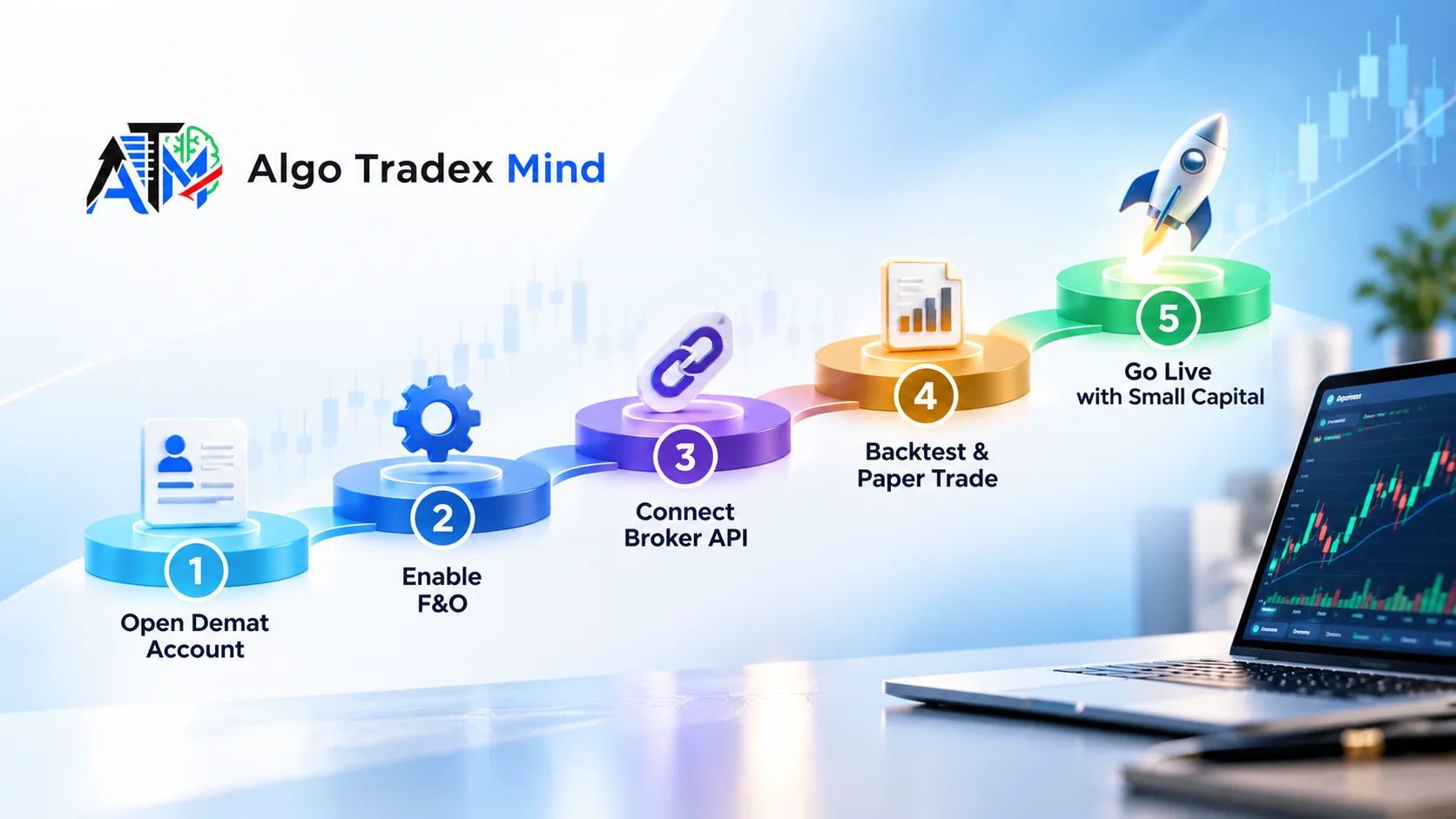
Choose a no-code platform, connect your broker account and build the strategy using menus instead of code. Next, backtest the rules on historical minute data, run them on a paper account for a few weeks and only then deploy with real capital. Each step catches a different kind of mistake, so skipping any of them usually costs real money later.
1. Connect a broker or start on paper
AlgoTradeXMind connects with Upstox, Dhan, Angel One, Zerodha, Fyers and Finvasia through their official APIs. Broker tokens stay encrypted, and the platform never holds your funds. If you are not ready to link an account, a built-in paper account with ₹10,00,000 in simulated capital is available from the first day.
2. Build the strategy through menus
Pick the underlying, select legs by ATM offset, nearest premium or delta, and set your entry and exit times. Per-leg stop loss, target and trailing values go in as points or percentages. Before deployment, the builder validates the setup by resolving the contracts and showing the margin required.
3. Backtest on minute-level data
A one-minute backtest shows how the rules would have behaved across past sessions, with an equity curve, drawdown figures and a trade-by-trade log. Charges are included in the results. That detail matters, because brokerage and taxes quietly eat into option selling returns.
4. Paper trade, then go live
Paper trading reveals what a backtest cannot, such as how you feel when a strategy loses three days in a row. For a beginner, the honest answer to how to automate option trading safely is patience at this stage. Move to live trading with one lot only after the paper results closely match the backtest.
Is Automated Options Trading Legal in India for Retail Traders?
Yes. Retail traders can use automated options trading India platforms legally when orders flow through a route their broker approves. SEBI's framework on safer retail participation in algorithmic trading became mandatory for all stock brokers from 1 April 2026. It makes brokers responsible for every algo on their systems, and third-party platforms must operate within the broker's approved setup to keep placing orders.
Here is what the framework changed in practice:
- Brokers act as principals and stay accountable for the algos they allow
- A daily two-factor login is required before API sessions work
- Several brokers now accept API orders only from a registered app linked to a whitelisted static IP
- Order rates are capped, for example at 10 orders per second at some brokers
- Some brokers convert market orders into market price protection orders
Before signing up with any tool, ask how it complies with your broker's rules under this framework. A clear, specific answer is a good sign.
Which Option Strategies Can I Automate Without Coding?
You can automate most rule-based index option strategies without coding, including short straddles, strangles, iron condors, expiry-day setups and indicator-driven directional trades. Option strategy automation suits setups where entry, strike choice and exit follow clear rules. Trades built on gut feel or news reading rarely translate well, because software cannot judge a headline the way an experienced trader can.
Time-based strategies
Time-based strategies enter at a fixed clock time. The classic example is the 09:20 NIFTY short straddle, where you sell the ATM call and put it together. AlgoTradeXMind adds Wait & Trade, which holds the entry until the premium moves by a set amount, and Re-execute, which re-enters a leg after its stop loss hits. Weekly and monthly expiries, days-before-expiry rules and positional carry-forward are all available.
Indicator-based strategies
Indicator strategies fire on conditions such as a close above the 20 EMA, RSI below 30, a VWAP reclaim or a Supertrend flip. On AlgoTradeXMind, you build these as long and short pairs, much like writing rules on a whiteboard. The engine evaluates them on closed candles, so it never acts on a half-formed candle.
How Does Stop Loss Automation Work for Options?
Stop loss automation sets your exit level the moment a position opens, so a loss never depends on how quickly you react. You define the stop in points or percentage for each leg. A trailing stop then shifts that level as the premium moves in your favour, protecting part of the gain without you touching the screen. Anyone who has frozen while a short leg doubled in minutes knows why this matters.
Useful stop-loss controls to look for:
- A separate stop, target and trail for every leg
- Pre-punched stops that sit with the broker as soon as you enter
- A choice over whether one leg's stop also closes the other leg
- A daily loss cap that halts the strategy for the rest of the day
- A kill switch that exits everything at market
What Is Auto Square-Off and Why Does Exit Timing Matter?
Auto square-off closes every open position at a time you choose, such as 15:10, so an intraday trade never stays open by accident. Brokers run their own square-off near the close, but they usually charge a fee and exit at whatever price is available. Setting your own exit time keeps both the price risk and the cost under your control.
Timing precision also matters at entry. Some candle-based tools act only when the next candle closes, so a 09:20 order may actually fill at 09:25. AlgoTradeXMind treats 09:20:00 as the first tick after that second, and its square-off follows the same clock. On a volatile morning, a five-minute delay can change a straddle's premium noticeably.
How Can I Test an Options Strategy Before Using Real Money?
Test it in two stages: backtest the rules on historical data, then run them on a paper account in live market conditions. The backtest shows long-term behaviour, drawdowns, win rate and the effect of charges. Paper trading shows whether the strategy holds up with today's prices, slippage and your own nerves. Only move to real money once both stages give consistent results.
A common trap is a backtest that looks brilliant but runs on different logic from the live system. AlgoTradeXMind runs the backtester, the paper account and the live engine on the same strategy code, so what you test is what trades. The paper account uses real lot sizes and real margin calculations, and it is free to use without a card. Past results, including backtests, never guarantee future returns.
Do I Need to Keep My Laptop On for Automated Option Trading?
No. Cloud-based platforms run your strategy on their own servers and send orders straight to your broker's API, so your laptop and phone can stay off. Under SEBI's framework, many brokers now ask for a daily two-factor login, so a quick morning authentication may still be part of your routine. After that, the strategy runs and exits on its own.
Features that keep a server-run strategy dependable:
- Restart safety, where open positions are recovered, orphaned ones are squared off and duplicate orders are refused
- A remote stop from any device, with open positions closed at market
- A decision log that explains why each entry fired, why a stop moved or why an order was refused
Is No-Code Options Automation Safe for Beginners?
No-code options automation is reasonably safe for beginners when strict risk checks sit between the strategy and the broker. The real danger is an untested strategy running with too much capital, not the software itself. Start on paper, trade one lot when you go live, set a daily loss cap and keep a kill switch within reach. Automation removes emotional errors, but market risk remains.
The numbers explain the caution. A SEBI study found that 93% of individual F&O traders lost money between FY22 and FY24. Automation will not change those odds on its own, but disciplined rules and hard limits stop a bad day from turning into a bad month. On AlgoTradeXMind, every order passes margin, daily loss, maximum trade, market-hours and kill-switch checks before it reaches the broker, on paper and live alike.
What Should I Look For in an Options Automation Platform?
Look for broad broker support, second-level timing, per-leg risk controls, minute-level backtests with charges, a free paper account and clear compliance with your broker's algo rules. Transparent logs and reachable human support matter too, because you need answers fast when something looks wrong. A platform that cannot explain why an order fired should not be trusted with your real capital.
Use this checklist when comparing tools:
- Broker coverage that includes your current trading account
- Entry and auto square-off to the exact second, not the next candle
- Per-leg stop loss automation with trailing and pre-punched stops
- Option strategy automation for both time-based and indicator-based setups
- One-minute backtests that include brokerage and taxes
- A paper account with real lot sizes and margin
- Risk checks that run before any order reaches the broker
Traders comparing tools for automated options trading India can test AlgoTradeXMind against this list, since it is built specifically for NSE and BSE index options. No-code options automation only pays off when these details are right, and the details are what separate a useful tool from a risky one.
Frequently asked questions
Can I automate options trading with a Zerodha account?
Yes. Zerodha supports API-based trading, and no-code platforms such as AlgoTradeXMind connect to it directly. Orders go from the platform to your Zerodha account, so your funds stay with the broker. You will usually need to complete a quick daily login under SEBI's framework.
How much capital do I need to automate option selling?
It depends on the strategy. A naked NIFTY short straddle typically blocks well over ₹1 lakh in margin per lot, while hedged setups such as iron condors need noticeably less. Run the strategy on a paper account first to see the exact margin required.
Does automated trading guarantee profits?
No. Automation only executes your rules faster and more consistently than you can by hand. If the strategy itself is weak, software will simply lose money more efficiently. Backtests and paper results help, but past performance never guarantees future returns in options trading.
Can I stop a running strategy in the middle of the day?
Yes. Most platforms let you stop a live strategy from your phone or computer at any time. On AlgoTradeXMind, stopping a strategy closes its open positions at market, and the kill switch halts all activity immediately if the day suddenly turns against you.
What is the difference between backtesting and paper trading?
Backtesting runs your rules on historical data to show how they would have performed in the past. Paper trading runs the same rules in the live market with simulated money. Together, they reveal both long-term behaviour and present-day execution issues before real capital is involved.
The practical path is simple. Build one rule-based strategy, backtest it on minute data, paper trade it for at least two to three weeks and go live with a single lot. Review the decision log every evening, change one rule at a time and scale up only when the live numbers match your tests.